
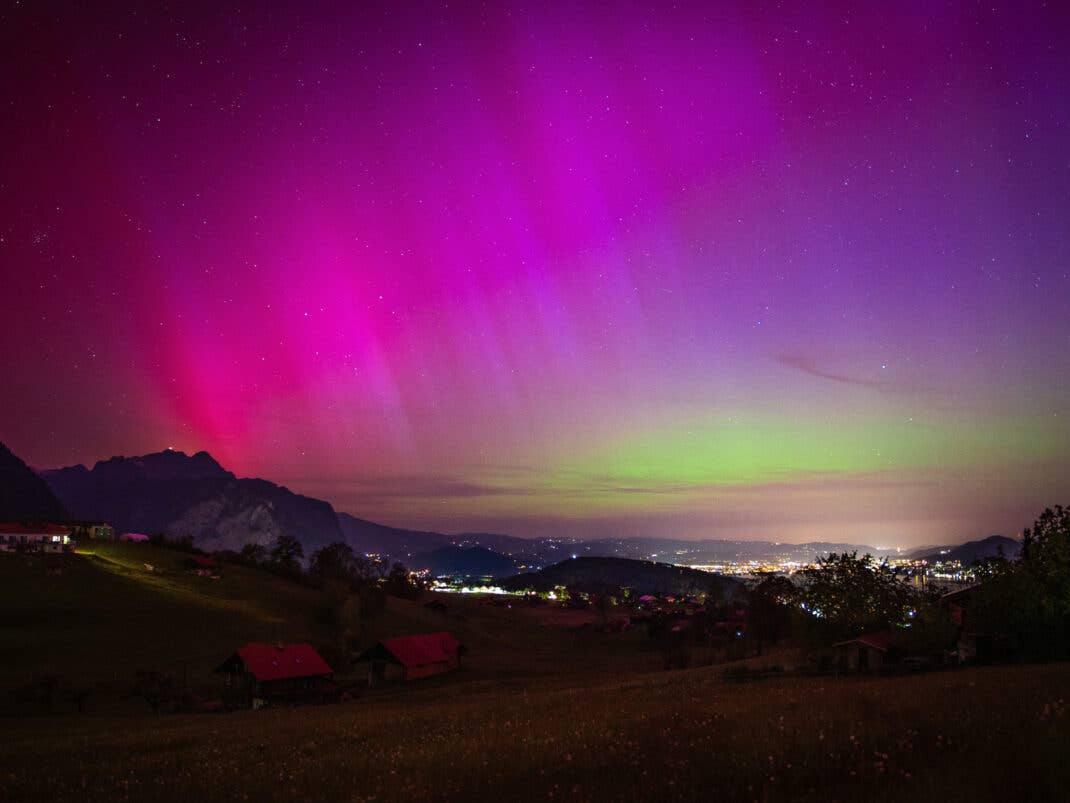
The chances of seeing auroras in Germany are pretty good in March 2026. If you pick up your smartphone and want to take a photo of the auroras, there are just a few things you need to know to turn your photo into a masterpiece.
People have always been fascinated by auroras such as the Northern Lights. How does this natural phenomenon occur? The sun — around 150 million kilometers away — hurls a charge of high-energy particles into space. Days later, they hit the Earth’s magnetic field, are redirected to both poles, resulting in glowing oxygen and nitrogen atoms. What do we see? Wispy green veils, purple edges, and a spectacularly colorful sky. March 2026 could be a particularly good month to see this happen. Who would want to miss out on capturing the Northern Lights then?
Your Smartphone Takes Pretty Good Photos When…
The sun is still in an active phase of its eleven-year cycle, while the vernal equinox — the moment both day and night are of equal length — approaches. What does this mean for people living in northern Norway or Iceland? Even more of what they already see regularly. For us who live further south, it’s more of a cosmic lottery. With a bit of luck, the glow will travel south far enough to become visible over Germany. When that happens, plenty of people will be standing outside, looking up at the sky and wanting to snap aurora photos.
→ Photographing Fireworks with Your Cell Phone: Here’s How!
This is what normally happens then: Everything looks spectacular in real life. Later, when you are seated on your sofa at home, the results look different. A grey sky, perhaps a slightly green spot, plus the realization that the moment was somehow more beautiful than the photo. The good news? Smartphones can now capture auroras amazingly well — if you pay attention to a few things. The bad news? You have to use your smartphone in a way that the camera app was never intended for. Here are a few simple tricks to increase the chances of the photo turning out amazing with a well-lit sky.
Photographing Auroras: Remember This!
Chasing auroras with a smartphone used to be a hopeless endeavor, but today’s technology makes it quite easy — if you know which options to enable. Without a few aids, it becomes difficult as the camera has to have a long exposure to capture auroras. Even the slightest shake will blur the image. That’s why a tripod is important. It doesn’t have to be a professional-grade tripod. A small GorillaPod or an inexpensive travel tripod will suffice.
→ 8 Night Photo Tips: Take Fantastic Smartphone Photos in the Dark
If you don’t have a tripod, try leaning your smartphone against a solid, stable object. Even if you think you’re holding your smartphone steadily, you’re wrong. Even the slightest movement will increase the photo’s blur. Also good to have is a remote shutter release. Connected headphones that you can use to trigger the smartphone’s camera are extremely useful here. How about working with a timer in the camera app? This releases the shutter a few seconds after you tap it. The whole idea is to eliminate any movement when photographing the Northern Lights.
Photographing Auroras: The Optimal Settings
Forget the automatic mode on your smartphone camera (except for night mode). If you want full control, select the Pro/Manual mode. The following three settings are perfect if you want to photograph auroras:
- Focus: Manually set it to “infinity” (often a mountain symbol). If the smartphone tries to focus automatically in the dark, the picture will usually be blurred.
- Exposure time: Choose between 5 and 15 seconds.
- Short (2-5 sec.): When the aurora dances quickly (preserves structure).
- Long (10-20 sec): When the light is weak and calm.
- ISO: Less is often more here. Start at ISO 800 or 1600. Too high a value (over 3200) will make the image very grainy.
Here’s another tip: shoot in RAW format if your smartphone supports it. This will allow you to bring out much more detail from the dark areas later on your PC or in an app (such as Lightroom Mobile).

What else?
Turn off the fash! This sounds logical, but many people forget to do so. The flash only illuminates what is directly in front of your feet. This can also simply mean dust particles in the air, ruining the photo. Remember to clean the lens before releasing the shutter! A greasy finger on the lens makes the aurora look like a smudged ghost. A quick wipe on your sweater works wonders.
Also, remember to turn down the display’s brightness. If your eyes are used to the dark, you will see the auroras much better. A bright display disturbs this effect. You should also never use the digital zoom function. It massively degrades the quality. If you want to get even more out of your photos, we have our special guide for shutterbugs: “How to Take Better Photos with Your Android Phone“.
